Everyday · Free · No account
Your first answers
in about five minutes.
Download the app and your statements once. Then turn Wi-Fi off, add them, see your picture and ask. No account. No forms to fill in. No bank passwords.
- No accountEveryday is free with no sign-up.
- No formsYour statements do the heavy lifting.
- No bank passwordsYour statements stay on your laptop.
- Wi-Fi offAfter setup, analysis runs without a connection.
Five steps
Set up once.
Then five minutes.
- Once
Download the app and your statements.
Get the app for Mac, Windows or Linux, and download some spending and investment statements from your bank, card and brokerage websites. Open the app once while you're online so it can finish setting up. No account, no sign-up.
- Minute 0
Turn Wi-Fi off.
From here on, everything runs on your laptop. Nothing you add or ask needs a connection.
- Minute 1
Add your statements, or open the example household.
Drop in the PDFs or CSVs you downloaded. You don't type your finances in. Or explore a complete synthetic household first.
- Minutes 2–4
See your picture.
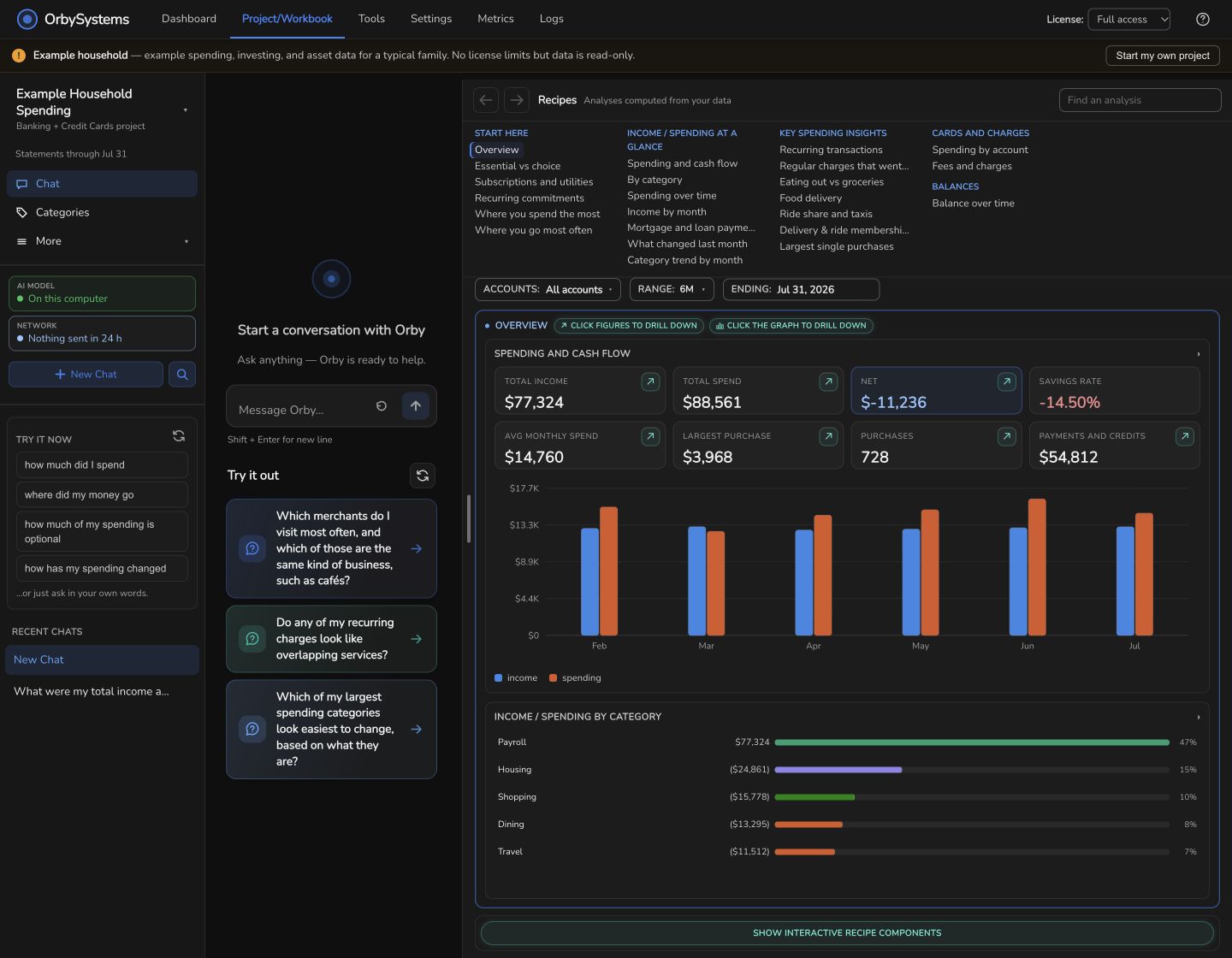
Spending by category and what repeats, what your investments really earned, and a first retirement outlook. Follow any figure back to the statement it came from.
- Minute 5
Ask.
Ask in everyday language: “Could I take a year off?” Orby answers from your numbers and shows the evidence, with Wi-Fi still off.
Rich results, from your own statements
Answers to
questions like these.
Mac · Windows · Linux
Will it run
on my computer?
If your computer has the memory below, yes. The app picks the built-in model that fits it. Keep your connection on until the first download finishes; analysis then works with Wi-Fi off.
Choose a downloadMac DMG or ZIP, Windows installer or portable app, Linux AppImage or Debian package.
- Mac
- Apple silicon, M1 or later, with 8 GB of memory or more.
- Windows / Linux
- Intel or AMD processor, and an Intel, AMD or NVIDIA graphics card with 8 GB of video memory or more.
- Built-in AI model
- Small for 8–12 GB of memory: a 3.4 GB download.
Medium for 16 GB or more: a 4.2 GB download. - The app
- About 260–330 MB, depending on your system.
- In all, once
- About 5 GB on the first launch, including the statement reader. Allow about 8 GB of free disk space.
Financial institution support
A wide range of banks.
And growing.
We read statements from a large variety of banks, card issuers and brokerages, thanks to community contributions and the help we received from testers during development and the beta. Bring PDF or CSV statements, or exports from money apps.
See the supported institutions ↗Not supported yet? Send us a scrambled copy.
If OrbySystems can't read a statement, it makes a scrambled copy: the layout is kept and every value replaced. You review it, then send it from the app. Your original statement never leaves your computer.
Support comes back within hours.
Usually within hours, often sooner, we send a small add-on for your institution. You install it from the app, and your statements are read from then on.
Or let the agent collect them.
The Statement Download Agent (beta) opens your bank's site; you sign in yourself. Its AI reads the page layout without receiving your password or clicking through your account. You can stop it at any time.
A little help, when you need it
Keep moving.
What’s a project, and what’s a workbook?
A project keeps related documents, analysis and chat together. A workbook connects projects for a bigger question, such as when work could become optional. You can create a project first and add documents later.
Which countries are supported?
Everyday and Plus are available internationally with supported statements. Premium is US-only and uses US retirement and tax rules. Compare country support ↗
How much history should I bring?
Start with what you have. More statements improve coverage and return calculations; overlapping bank, card and investment periods make the connected picture more useful. Everyday · Free analyzes any six consecutive months you choose. Plus and Premium unlock longer history for covered years.
What needs an internet connection?
Initial model downloads, updates, paid activation and enabled reporting connect online. The statement agent connects your browser to your bank; its page learning stays local. With the built-in model ready, analysis of files already on your computer can work offline. Paid features need a periodic license check.
See your own picture.
Start with the example household. Add your own statements when you’re ready.